Log In to the AP Digital Portfolio
To access your AP Art and Design portfolio in the AP Digital Portfolio:
- Go to digitalportfolio.collegeboard.org.
- Select Student and enter your College Board login information. This is the same information you use to log in to My AP.
- From the AP Digital Portfolio homepage, select your AP Art and Design course.
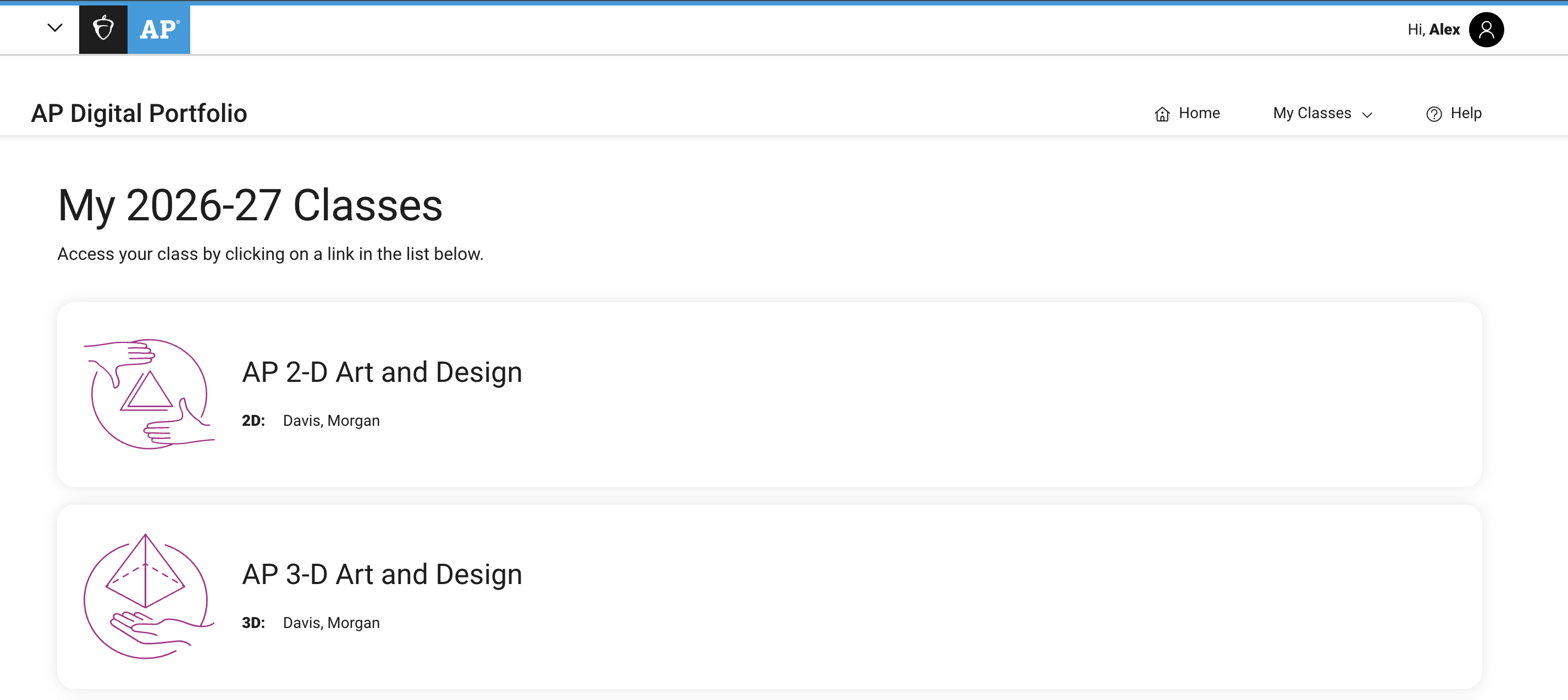
The AP Digital Portfolio is directly linked to your My AP account. So, if your AP Art and Design portfolio isn’t appearing in the AP Digital Portfolio, it may mean that you’re not enrolled in the Art and Design class section through My AP. Ask your teacher or AP coordinator for help.
You can also access the AP Digital Portfolio from My AP. Once you’re logged into My AP, select Go to Digital Portfolio from your class section.
| Previous Page: Digital Image Requirements | Next Page: Class Summary Overview |
Key Dates
AP Art and Design Portfolio Due Date
This is the AP Program deadline. Your teacher or AP coordinator will likely set an earlier deadline, which you should follow, but you must submit all three AP Art and Design portfolio components as final in the AP Digital Portfolio by this date.
Resources
Download
AP Digital Portfolio: Student User Guide
This guide will help you navigate the AP Digital Portfolio.