Class Summary Overview
After you select your AP Art and Design course on the homepage, the Class Summary Overview page will open.
This page shows a table outlining each of the portfolio components that you’ll need to complete: Sustained Investigation Images, Sustained Investigation Written Evidence, and Selected Works. The table shows your progress within each component:
- Not Started: You haven’t begun working on the portfolio component.
- In Process: You’ve started working on the portfolio component, but it hasn’t been submitted as final.
- Submitted: The portfolio component has been submitted as final.
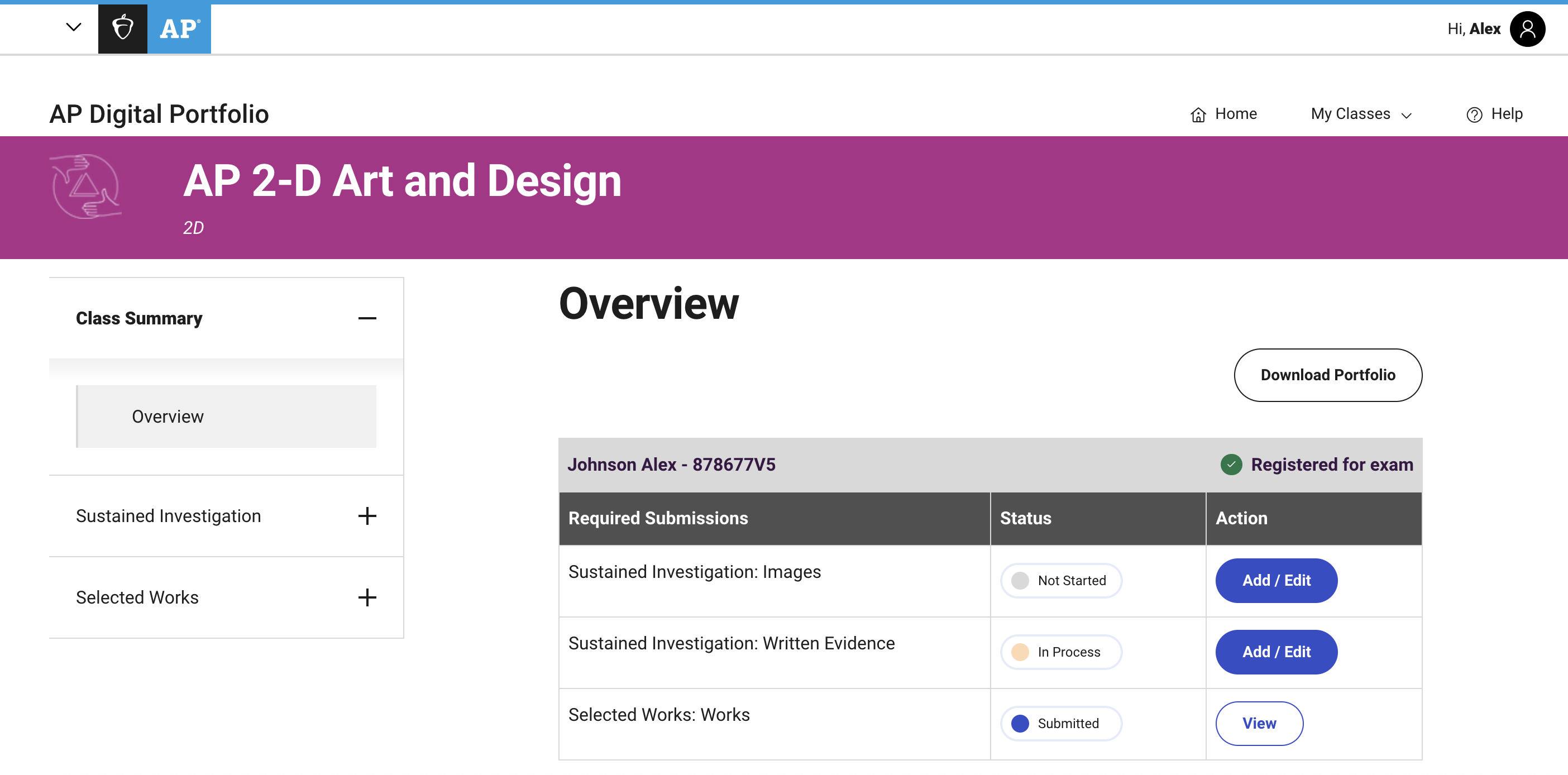
The Class Summary Overview table also shows your exam order status. Next to your name you will see one of the following statuses:
- Registered for exam: This indicates that you’re registered for the AP Art and Design portfolio exam.
- Not taking exam: This indicates that your exam order status is “No” and an AP Art and Design portfolio exam isn't ordered for you. Your portfolio components won’t be sent to the AP Program for scoring. If you think this is a mistake, work with your teacher or AP coordinator to ensure your AP Art and Design portfolio exam is ordered.
- Not yet registered for the exam: This indicates that your exam order status is “Undecided.” You’ll need to work with your teacher or AP coordinator to indicate your exam order intentions. If there isn’t an AP Art and Design portfolio exam ordered for you, your portfolio components won’t be sent to the AP Program for scoring.
Once you’re familiar with the Class Summary Overview page, your next step is to begin working on the portfolio components.
| Previous Page: Log In to the AP Digital Portfolio | Next Page: Sustained Investigation: Images |
Key Dates
AP Art and Design Portfolio Due Date
This is the AP Program deadline. Your teacher or AP coordinator will likely set an earlier deadline, which you should follow, but you must submit all three AP Art and Design portfolio components as final in the AP Digital Portfolio by this date.
Resources
Download
AP Digital Portfolio: Student User Guide
This guide will help you navigate the AP Digital Portfolio.